


MyOchsner
4.3629.00 Reviews
App Specs
- Version
- 11.8.3
- Updated On
- License
- Free
- Downloads
- 100,000+
- Developer
- Ochsner Health System
- Categories
- Medical
- Platform
- Android
Screenshots
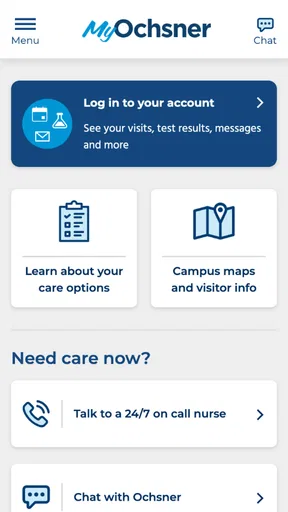
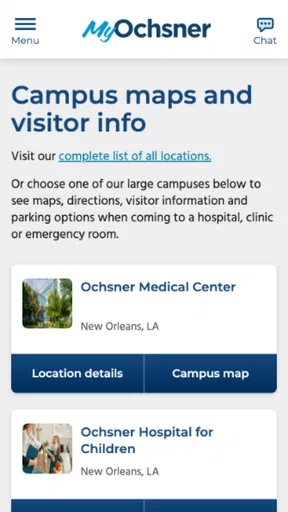
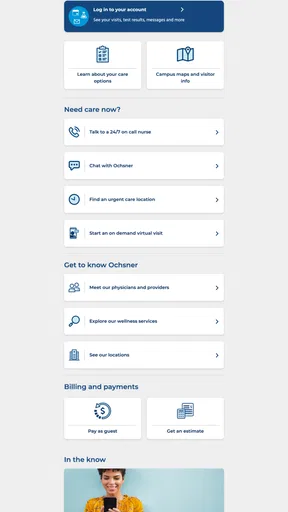
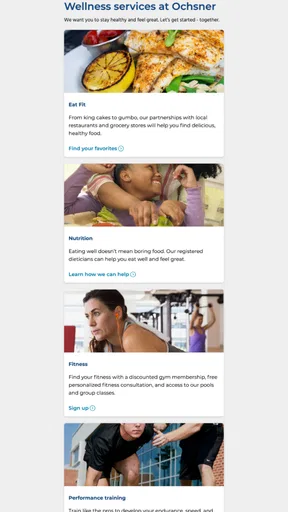
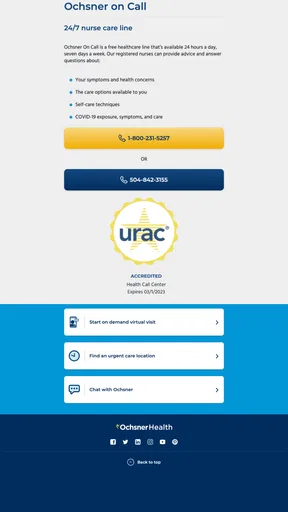
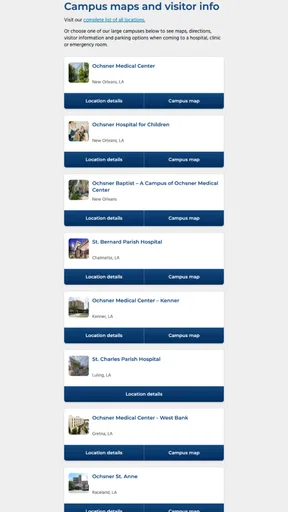
 Analysis by AppCompare
Managing healthcare is rarely difficult because of one dramatic task. The friction usually comes from small jobs: finding a test result, checking an appointment detail, sending a message, or remembering what a clinician said during a busy visit. MyOchsner is designed to bring those jobs together on a phone. After spending time with it, I see it as a practical medical app for people who already use Ochsner Health System and want a more direct way to stay connected with their care.
The app is free, carries an Everyone content rating, and is developed by Ochsner Health System. It has built a solid audience, with over 100,000 installs and an average rating of 4.3 from around 1,500 ratings. Those figures suggest that it is not a niche experiment, but they do not remove the need to judge it by a more important question: does it make ordinary healthcare administration easier when you are tired, busy, or away from a computer?
How MyOchsner feels during everyday healthcare tasks
My first impression is that MyOchsner is most useful as a central access point rather than a medical advice tool. That distinction matters. It can help you interact with your healthcare information and care relationship, but it should not be treated as a replacement for urgent medical attention or a professional assessment. For routine account and care-management tasks, keeping everything in one mobile experience is more convenient than searching through emails, paper instructions, and separate phone numbers.
A realistic example is a weekday morning when you are preparing for an appointment. Instead of opening a laptop, you can use the app to review the information connected with your Ochsner care. If you are checking something immediately before leaving home, the value is not entertainment or elaborate customization; it is reducing the number of places you need to look. That focused purpose helps the app feel calmer than many general health applications that try to combine wellness tracking, exercise coaching, medication reminders, and unrelated content.
The experience also makes sense for people who want a clearer record of their interactions with a healthcare organization. A patient who regularly moves between appointments, follow-up instructions, and questions may appreciate having a familiar starting point. I would especially recommend it to Ochsner patients who dislike making a phone call for every small administrative matter but still want an official channel rather than an informal note-taking app.
There is a useful trade-off here. A dedicated health-system app can be more relevant than a general health organizer because it is tied to one care network. At the same time, that focus makes it less valuable if most of your doctors, laboratories, or specialists are outside Ochsner. In that situation, a broader health-record organizer or your phone’s secure document tools may be a better complement, because MyOchsner is not intended to become a universal dashboard for every provider you use.
What to expect from speed and responsiveness
Medical apps are judged differently from social apps. I do not need constant animation or instant content refreshes; I need the screen to respond predictably when I am trying to complete a healthcare task. MyOchsner’s performance should be understood in that context. The app is a gateway to account-based information, so some actions naturally depend on communication with the healthcare system rather than only on the phone itself.
Worth Reading Before You Choose

EA SPORTS FC Mobile 26 Is a Bigger Football Game, but It Takes Time

Flipboard Shows What News Apps Must Do Beyond the Feed

Switching to Android Auto Means Rethinking Your Driving Routine

Google Calendar Makes a Crowded Week Easier to Manage

Ludo King Makes the Most of the Minutes Between Plans

Baby Panda World Brings Quick Play to Modern Phones, but Its Game Library Feels Busy
That means a quick opening screen does not guarantee that every result, message, or appointment detail will appear instantly. If the app is waiting for information to load, the delay may come from the connection or the service behind the app rather than from the handset. In practical use, I would avoid opening it for the first time while standing in a queue or walking into an appointment. Giving it a moment before you need the information is a simple habit that removes unnecessary pressure.
The current version is 11.8.3, and the app requires at least operating-system version 11. That requirement places it within reach of many reasonably current devices, while also making the software environment important. If your phone is old enough that it cannot meet that requirement, the issue is not a setting you can adjust inside the app; you would need a compatible device or another way to reach your healthcare information.
I also prefer using the app when the phone has a stable connection. A medical record is not the kind of information I want to repeatedly reload over a weak signal. A dependable home or office network is the sensible choice for heavier tasks, particularly when you are reviewing several items or composing a detailed message. For a quick check, mobile data may be perfectly adequate, but I would not make a poor connection part of an urgent plan.
Where heavier use can expose friction
The most demanding moments are not likely to be caused by graphics or entertainment-style processing. They come from asking the app to handle several connected healthcare tasks in one session. A patient might review information, move to an appointment-related area, read a message, and then return to another part of the account. That kind of back-and-forth is where navigation clarity and loading behavior matter more than visual effects.
My advice is to approach a longer session with a clear goal. If you need to prepare questions for a visit, write them down before opening the app, then use the session to verify the relevant information. This avoids repeatedly switching between the app and other notes while you are trying to remember what you wanted to ask. It also makes it easier to notice whether a detail is current and whether it belongs to the right episode of care.
Another practical tip is to separate reading from responding. When a healthcare message requires thought, I would first read it carefully, note any dates or instructions, and only then compose a reply. That workflow reduces the chance of sending an incomplete response simply because the app is convenient to open. The phone makes access easier, but it does not make medical communication less important.
Heavy use can also mean using the app during an emotionally stressful moment. A family member may be waiting for information, or a patient may be trying to understand what to do next. In those situations, a small delay can feel much bigger than it is. I would not rely on any patient-portal app as the sole channel for an emergency. If immediate care is needed, contact the appropriate emergency service or healthcare professional instead of waiting for a mobile screen to update.
For routine use, the app’s focused design is an advantage. It does not need to compete with a game or a streaming service for attention. Its job is to help you reach health-related information with as little wandering as possible. The limitation is that usefulness depends on the quality and completeness of the information connected to your Ochsner relationship, not merely on how polished the phone interface feels.
Stability, trust, and what “reliable” means here
Reliability in a medical app has two layers. The first is technical: the app should open, remain usable, and recover sensibly when a connection is interrupted. The second is practical: the information and communication workflow should be clear enough that you know what you are looking at and what action you have taken. MyOchsner’s value is strongest when those two layers work together.
I would treat the app as a convenient access route, not as the only place where I keep important personal reminders. For example, if an appointment or instruction is important, I would also record the date or next step in my normal calendar or notes system. That is not a criticism unique to this app. It is a sensible backup because phones can lose signal, accounts can require reauthentication, and healthcare plans can change.
Recovery after an interruption is another area where expectations should stay realistic. If the app loses its connection while you are viewing information, the safest response is to pause rather than repeatedly tap buttons. Reopen or retry only when the connection is stable, and confirm whether an action actually completed before submitting it again. This is particularly important for messages or requests, where duplicate attempts can create confusion.
The developer’s identity also gives the app a clear purpose: Ochsner Health System is not presenting a general-purpose wellness product under a vague brand. That can make the experience easier to understand for its patients. You know why you are using it and which healthcare relationship it is meant to support. On the other hand, that same connection means reliability is partly tied to your ability to use Ochsner’s patient services, so people outside that system should not expect the app to offer them the same value.
Device limits, storage habits, and privacy-minded use
Because the minimum operating-system requirement is 11, compatibility should be checked before planning to depend on the app. On an eligible phone, the more important constraint is often attention rather than raw power. Healthcare screens contain information that deserves careful reading, and a small display can make it harder to compare dates, understand long text, or review several details at once.
I find a phone ideal for quick checks and short actions. For a long review of health information, a larger screen can be more comfortable if you have access to the corresponding web experience. The app wins when you are away from a computer, but a desktop-style view may be preferable when you need to organize notes or read a substantial amount of text. This is a device trade-off, not a reason to dismiss the mobile version.
Battery demand should also be considered in ordinary terms. A focused medical app is not something I would expect to use continuously for hours, but opening it with a nearly empty battery before an appointment is poor preparation. Charge your phone beforehand, especially if you may need to show information, communicate with the care team, or navigate to a facility afterward.
I would also avoid using a shared or borrowed device for sensitive account activity. A personal phone with a sensible screen lock is a better environment for health information. When using public Wi-Fi, I prefer to postpone anything nonessential until I am on a connection I trust. These habits are not special tricks inside MyOchsner; they are practical ways to reduce avoidable exposure when handling medical details on any mobile device.
Notifications deserve a thoughtful approach as well. They can be useful when you are waiting for a response or need to remember an administrative task, but a lock-screen preview may reveal more than you want other people to see. If your phone is frequently visible to family, coworkers, or the public, review how much message content appears before unlocking it. Convenience is valuable, but discretion matters just as much in a medical context.
Who should use it, and who should choose another route?
I would recommend MyOchsner to an Ochsner patient who wants a straightforward mobile connection to healthcare information and routine communication. It is especially suitable for people who manage appointments and follow-up tasks from a phone, caregivers who help a family member stay organized, and patients who often find themselves away from a computer when a question comes to mind.
It is less suitable as a standalone solution for someone whose healthcare is spread across unrelated systems. If your primary doctor, specialist, and testing providers all use different portals, you may still need several accounts. In that case, MyOchsner can remain useful for the Ochsner portion of your care, but a general organizational method will be necessary for the rest. Expecting one health-system app to unify every provider would lead to disappointment.
I would also steer away from using it as a substitute for urgent clinical help. The app is appropriate for accessing and managing routine healthcare interactions, not for deciding whether a serious symptom requires immediate attention. When time matters, direct professional or emergency assistance is the better option. The app should support your care, not become a barrier between you and timely help.
Compared with calling a clinic, the app can be more convenient for tasks that do not require a live conversation. Compared with a general health notebook, it offers a closer connection to the Ochsner relationship. Compared with a desktop portal, it is easier to reach while traveling but less comfortable for extended reading. Those comparisons explain its proper place: it is a mobile front door, not a complete replacement for every healthcare channel.
My final performance verdict
My overall view is positive, with a clear boundary around what the app is meant to do. MyOchsner performs best when speed means reducing steps, not pretending that healthcare information behaves like ordinary phone content. It gives Ochsner patients a focused way to reach their care-related information and handle routine needs without automatically reaching for a computer or making a call.
The strongest practical benefit is continuity. Once you build the habit of checking one official place before searching through old messages or papers, small healthcare tasks become easier to organize. The most useful advanced habit is to combine the app with your calendar and personal notes: use MyOchsner for the source information, then record important dates, questions, and next actions where you already manage your life. That division keeps the app focused while protecting you from relying on a single screen at the wrong moment.
There are reasonable limitations. Performance can depend on connectivity and account services, a small phone screen is not ideal for lengthy review, and the app’s value is naturally narrower for people who do not receive care through Ochsner. Those are important considerations, but they do not undermine the central experience for the intended audience.
MyOchsner was released on April 5, 2022, and its current version shows that it remains an actively maintained part of the mobile healthcare experience. With a free price and an Everyone rating, it is easy for eligible patients to try without a financial commitment. I would install it if Ochsner is part of my care, keep my phone and operating system ready, and use it as a convenient companion to—not a replacement for—direct medical guidance and broader personal organization.
Pros
- Easy access to appointments
- test results
- and medical records.
- Secure messaging makes contacting your care team more convenient.
- Prescription refill requests can be submitted directly in the app.
- Supports virtual visits for eligible patients and appointments.
- Family account features help manage care for dependents.
Cons
- Features and availability depend on your healthcare provider’s Ochsner setup.
- Some results may appear only after provider review
- causing delays.
- Virtual visits require a compatible device
- camera
- and reliable internet.
- The app may request sensitive health and notification permissions.
- Navigation can feel overwhelming when managing multiple medical services.
FAQs for MyOchsner
What is MyOchsner, and what can I use it for?
MyOchsner is Ochsner Health’s patient portal app for managing healthcare from a mobile device. After signing in, users can review parts of their medical record, view test results, request or manage appointments, communicate with eligible care teams, check medications, review visit information, and handle certain billing tasks. Available features may vary depending on your Ochsner location, provider, age, and account permissions.
How do I create an account or sign in to MyOchsner?
To use MyOchsner, you generally need an Ochsner Health patient account. You may be able to sign up with an activation code provided by Ochsner, or use the app’s account-recovery and registration options if available. The app may ask you to verify personal information and create secure login credentials. If you cannot match your records or forgot your details, contact Ochsner support rather than creating duplicate accounts.
Can I use MyOchsner to schedule appointments and contact my doctor?
MyOchsner can make several appointment-related tasks more convenient, including requesting or scheduling eligible visits, checking upcoming appointments, and reviewing instructions. Some appointments may not be available for online booking because they require a referral, special preparation, or a specific department. Secure messaging may also be available, but response times vary. Do not use routine messages for emergencies or urgent symptoms requiring immediate attention.
Does MyOchsner show test results, medications, and medical records?
The app can provide access to portions of your electronic health record, such as laboratory or imaging results, medications, allergies, immunizations, visit summaries, and clinical notes when released by your care team. Results may appear before your provider has reviewed them, and some information can be delayed or restricted for privacy or clinical reasons. Always discuss confusing or concerning results with a qualified healthcare professional.
Is MyOchsner safe, free, and available on every device?
MyOchsner is generally offered as a free patient-portal app, although normal mobile data, messaging, or internet charges from your provider may apply. It is designed to protect account information through secure sign-in and encrypted communication, but you should still use a strong password, enable available device security, and avoid logging in on shared devices. Compatibility and feature availability can depend on your Android or iOS version and Ochsner services.


